An engineer, a sales manager, and a new hire all log into the same intranet homepage and see the exact same news feed, in the exact same order, regardless of what any of them actually need that day. That’s how most intranets have worked for years, and it’s a reasonable default for a small organization. It stops making sense once a workforce grows past a few hundred people with genuinely different roles, locations, and information needs.
AI is what makes a different model possible: an intranet that adapts to each employee instead of asking every employee to adapt to it. That shift is less about flashy features and more about a practical question, whether the right information is reaching the right person without them having to go looking for it.
Why Static Intranets Break Down as Organizations Scale
A single intranet homepage trying to serve every department, role, and location equally tends to serve none of them particularly well. Content gets prioritized by recency or by whoever has the loudest internal marketing push, not by actual relevance to the person viewing it. The result is predictable: important updates get buried under general announcements, and employees start tuning out the homepage entirely because it rarely shows them something specific to their work.
This isn’t a failure of content strategy so much as a structural limit. A static intranet has no way to know that a warehouse supervisor and a finance analyst need almost entirely different information on any given day, so it shows them the same thing and hopes for the best. AI-driven personalization exists specifically to remove that constraint, by adjusting what surfaces based on role, behavior, and context rather than treating every employee identically.
What Actually Changes With AI-Driven Personalization
The most immediate shift shows up in content prioritization. Instead of a fixed news feed, AI can weight what appears based on a combination of department, role, and past engagement, so a technical update surfaces prominently for an engineer while a customer-facing announcement surfaces for a sales team, without hiding anything from anyone who wants to dig further.
Search is the second major shift, and often the most valuable one. Traditional intranet search struggles when someone doesn’t know the exact term a policy or document uses. AI-powered search can account for role and context, so two people searching the same general term get results weighted toward what’s actually relevant to their job, rather than an identical list of exact keyword matches. The same underlying approach extends naturally into onboarding, where new hires can be shown foundational content at a pace that matches how quickly they’re absorbing it, and into expertise discovery, where AI can surface a colleague with relevant experience that an employee would otherwise have no way of finding through an org chart alone.
Where the Governance Conversation Has to Start
Personalization runs on behavioral data, and that raises a legitimate question almost immediately: how much should an intranet know about how each employee works, and who decides what’s appropriate to track. This is where a lot of AI rollouts either build trust or lose it early, and the difference usually comes down to a handful of decisions made before launch rather than anything technical.
Transparency is the foundation. Employees should be able to understand, in plain terms, what data is being used and why a particular piece of content is being shown to them, rather than encountering an opaque system that just seems to know things about them.
Purpose matters just as much: personalization should be framed and actually built around making the employee’s experience better, not purely around organizational metrics like engagement or adoption numbers.
Boundaries need to be explicit too, since some categories of information have no legitimate role in intranet personalization regardless of how technically feasible it might be to include them.
And wherever possible, employees should have some control, whether that’s adjusting preferences directly or understanding how to flag content that isn’t relevant to them.
Getting this right isn’t just an ethical consideration, it’s a practical one. Organizations that introduce personalization gradually, starting with clearly beneficial and low-risk applications like better search, tend to build enough trust to expand into more sophisticated features later. Organizations that roll out heavier personalization without that groundwork often find employees skeptical of the whole initiative, which can set adoption back further than doing nothing at all.
A Practical Path to Rolling This Out
Personalization doesn’t need to launch as one large initiative, and it generally shouldn’t. Starting with content targeting based on existing categories like department or role gives most organizations a meaningful improvement without requiring new infrastructure or raising significant governance questions. Improving search is usually the next logical step, since it’s a change nearly every employee will immediately recognize as useful, with relatively low risk attached to it.
From there, recommendation-style features, “related content” suggestions or lightweight expertise discovery, can be layered in gradually, with clear communication at each stage about what’s changing and why. Measuring both engagement and employee sentiment throughout the rollout matters just as much as the technical implementation itself, since a personalization feature that improves click-through rates but makes employees uneasy isn’t actually a win.
Analytics that never lead to a content decision are just data collection.
Where This Fits Into a Broader Digital Workplace Strategy
AI personalization rarely exists in isolation from the rest of an organization’s Microsoft 365 and AI investments, and it shouldn’t be planned that way. Microsoft Copilot is increasingly central to how employees search for and interact with SharePoint content directly, which means a personalization strategy and a Copilot rollout are often solving overlapping problems and are worth planning together rather than as separate projects.
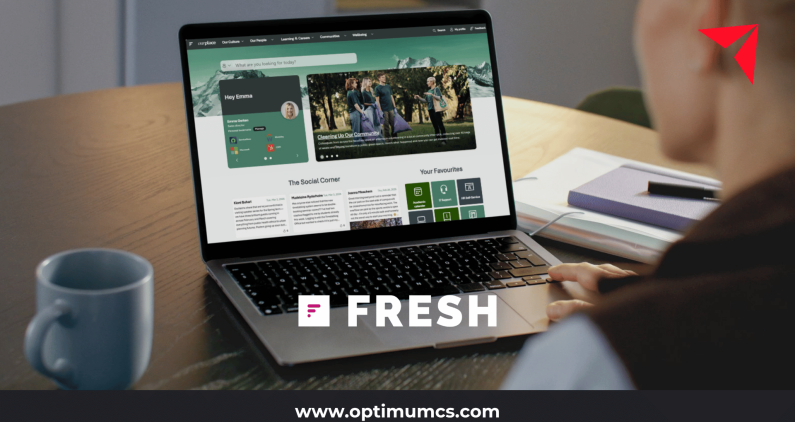
Platforms like Fresh Intranet build personalization capabilities directly into a SharePoint-native environment, giving organizations a path to smarter search and content targeting without moving content outside Microsoft 365.
The organizations that get the most value out of AI personalization tend to treat it as one part of a broader intelligent workplace strategy, connected to governance, data, and the other AI investments already underway, rather than a standalone feature bolted onto an existing intranet.
Getting Started with AI Intranet Personalization
Curious what AI personalization could look like on your own intranet? Talk to Optimum about Fresh Intranet and Copilot-ready SharePoint solutions and get a clear picture of where to start.
About Optimum
Optimum is a nationally recognized IT consulting firm and an official partner across the full employee communications and digital workplace stack, including Microsoft as a Solutions Partner for AI Business Solutions, SharePoint, ShortPoint, Fresh Intranet, Staffbase, and ScreenCloud. We help organizations connect intranet, email, employee apps, and digital signage into one integrated communications strategy, backed by deeper AI, data, and automation capabilities across Power Platform, Copilot, and Microsoft Fabric.
Our services span strategy and assessment, implementation, migration, governance, and ongoing managed support, with a focus on maximizing the ROI of your existing platform investments and driving real adoption, not just a successful launch. Whether your workforce is desk-based, frontline, deskless, or spread across all three, we help you reach every employee on the channel that actually works for them.
We offer a free Intranet Migration Assessment for organizations evaluating a move to Staffbase, Fresh Intranet, or a modernized SharePoint environment. Reach out today and let’s explore the right combination of channels for your organization!
Contact us: info@optimumcs.com | 713.505.0300 | www.optimumcs.com
Frequently Asked Questions About AI Intranet Personalization
What is AI intranet personalization?
AI intranet personalization refers to using behavioral data, role, and context to adjust what content, search results, and connections an intranet surfaces for each employee, rather than showing every employee the same static experience. It differs from traditional targeting, which relies on fixed categories like department, by adapting continuously based on how each person actually engages with content over time.
Is AI personalization the same as targeted communications?
Not exactly. Targeted communications typically rely on manually defined audience segments, like sending one message to a department and a different message to another. AI personalization can incorporate those same segments but adds ongoing, automated adjustment based on individual behavior and engagement patterns, which traditional manual targeting doesn’t do on its own.
Does AI personalization on an intranet require moving content outside Microsoft 365?
Not necessarily. Several intranet platforms, including SharePoint-native solutions like Fresh Intranet, build personalization features directly into a Microsoft 365 environment, meaning content and permissions can remain within the existing SharePoint infrastructure rather than moving to a separate system. Organizations evaluating personalization should confirm this directly with any vendor, since the answer varies by platform.
How do organizations avoid AI personalization feeling invasive to employees?
The most reliable approach is transparency about what data is used and why, combined with a clear focus on employee benefit rather than purely organizational metrics. Giving employees some visibility into or control over their personalization settings also helps, as does starting with low-risk, clearly useful applications like improved search before introducing more sophisticated behavioral features.
Where should an organization start with AI personalization if it hasn’t done any of this yet?
Most organizations get the best early results by starting with smarter search and role-based content targeting, since both offer clear, immediate value with relatively low governance risk. More advanced features like expertise discovery or behavioral recommendations are better introduced gradually, once employees have seen personalization work well in a simpler form first.