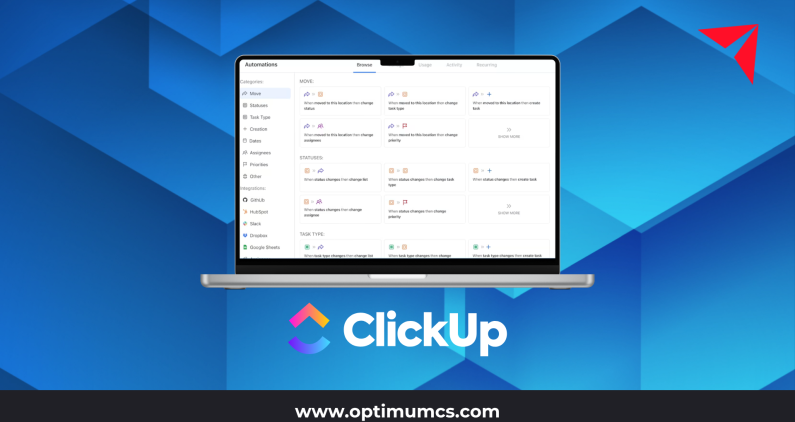
ClickUp automations promise speed, efficiency, and fewer manual steps. And at a small scale, they often deliver exactly that.
The challenge shows up later.
As organizations grow, many discover that their ClickUp workflow automation setup has become noisy, fragile, or outright risky. Triggers overlap. Rules contradict each other. No one remembers why certain automations exist, but everyone is afraid to turn them off.
This is why enterprise teams increasingly search for an automation strategy for enterprise, not just “how to build automations.” The difference between automation that scales and automation that creates chaos comes down to governance, intent, and design.
This blog breaks down how to approach ClickUp automations strategically, so they support growth instead of slowing it down.
Why Most ClickUp Automations Fail at Scale
Most automation failures are not technical. They are structural.
Common failure patterns include:
- Automation without ownership
Anyone can create rules, but no one is accountable for long-term behavior or maintenance. - Trigger sprawl
Multiple automations fire on the same status, field, or event, creating unpredictable outcomes. - Local optimization
Teams automate their own workflows without considering downstream impacts on reporting, integrations, or other teams. - No review mechanism
Automations are created once and never revisited, even as processes change.
At scale, these issues compound. What once saved minutes starts costing hours in troubleshooting, rework, and lost trust in the system.
This is why ClickUp consulting services increasingly focus on automation governance, not just automation setup.
The Three Layers of a Mature ClickUp Automation Strategy
A scalable ClickUp automation strategy is built in layers. Each layer serves a different purpose and requires different rules.
1. Structural Automations (Foundation Layer)
These automations reinforce how work moves through the system.
Examples include:
- Advancing task status based on clear lifecycle events
- Assigning owners when work enters a defined stage
- Enforcing required fields before tasks progress
This layer should be stable, limited, and tightly governed.
2. Operational Automations (Efficiency Layer)
These automations reduce manual effort in day-to-day execution.
Examples include:
- Updating dates or priorities based on dependencies
- Creating subtasks from approved templates
- Notifying specific roles, not entire teams
Operational automations deliver efficiency, but only when they align with standardized workflows.
3. Insight and Reporting Automations (Signal Layer)
This layer supports visibility and decision-making.
Examples include:
- Flagging tasks that violate SLAs
- Updating custom fields for reporting consistency
- Triggering follow-ups when work stalls
At scale, this layer is often more valuable than pure task movement, because it helps leaders manage by exception instead of inspection.
Automation Governance: How to Prevent Trigger Sprawl
Governance is the difference between automation as an asset and automation as technical debt.
Effective automation governance includes:
- Clear creation rights
Not everyone should be able to create automations in shared spaces. - Standard naming conventions
Automations should be readable and self-explanatory months later. - Documentation of intent
Each automation should have a clear reason for existing and a defined owner. - Limits by layer
Structural automations should be rare and protected. Operational automations can be more flexible but still reviewed.
Governance-first automation design is a core focus of Optimum’s approach to scalable ClickUp implementations, particularly for organizations with multiple teams and complex reporting needs.
Which Processes Should (and Shouldn’t) Be Automated in ClickUp
Not every process benefits from automation. In fact, automating the wrong things often creates more work.
Good candidates for ClickUp automation:
- Repetitive, rules-based actions
- Hand-offs with clear criteria
- Status-driven updates
- Data hygiene for reporting
Poor candidates for automation:
- Ambiguous decision-making
- Exception-heavy processes
- Work that changes frequently
- Processes that are not yet standardized
A simple rule of thumb: if team members disagree on what should happen next, automation will amplify the problem, not solve it.
Building an Automation Review Cadence Your Team Will Actually Follow
Automation governance only works if it’s operationalized.
High-performing teams build a lightweight review cadence that includes:
- Quarterly reviews of shared-space automations
- Clear criteria for retiring or consolidating rules
- Change logs for high-impact automations
- Feedback loops from end users
This does not need to be heavy or bureaucratic. The goal is visibility and intentional evolution, not control for its own sake.
For enterprise teams, this cadence is often embedded into broader platform governance or operational reviews, ensuring ClickUp evolves alongside the business instead of lagging behind it
ClickUp Automations Are Operational Infrastructure
ClickUp automations are not just a productivity feature. They are operational infrastructure. When designed without strategy or governance, they introduce risk, noise, and fragility. When designed intentionally, they create leverage.
A scalable ClickUp automation strategy starts with clarity on which rules matter, who owns them, and how they support real business workflows over time. For growing organizations, especially at the mid-market and enterprise level, the goal is not more automation. It’s better automation that holds up as teams, processes, and priorities evolve.
About Optimum
Optimum is a proud ClickUp Partner and an award-winning IT consulting firm, providing AI-powered data and software solutions and a tailored approach to building data and business solutions for mid-market and large enterprises.
With our deep industry expertise and extensive experience in data management, business intelligence, AI and ML, and software solutions, we empower clients to enhance efficiency and productivity, improve visibility and decision-making processes, reduce operational and labor expenses, and ensure compliance.
From ClickUp consulting to application development and system integration to data analytics, artificial intelligence, and workflow automation, we are your one-stop shop for your software consulting needs.
Reach out today for a complimentary discovery session, and let’s explore the best solutions for your needs!
Contact us: info@optimumcs.com | 713.505.0300 | www.optimumcs.com
Frequently Asked Questions (FAQ)
What are ClickUp automations?
ClickUp automations are rule-based actions that trigger updates, assignments, notifications, or data changes when specific conditions are met within ClickUp.
What is a scalable ClickUp automation strategy?
A scalable automation strategy focuses on governance, ownership, and standardization so automations continue to work as teams, workflows, and reporting needs evolve.
Why do ClickUp automations break as organizations grow?
Automations often fail at scale due to overlapping triggers, lack of ownership, poor documentation, and automating processes that are not yet standardized.
Which teams benefit most from ClickUp workflow automation?
Mid-market and enterprise teams see the most value when automation supports repeatable workflows, cross-team handoffs, and leadership visibility without adding noise.
How can ClickUp consulting services help with automation?
ClickUp consulting services help organizations design automation intentionally, establish governance models, and align workflow automation with real business processes and reporting needs.